How to Make a Cricket Scorecard Online, Free, in 3 Steps
Match over, group chat waiting. Turn the final score into a clean result card in under a minute.
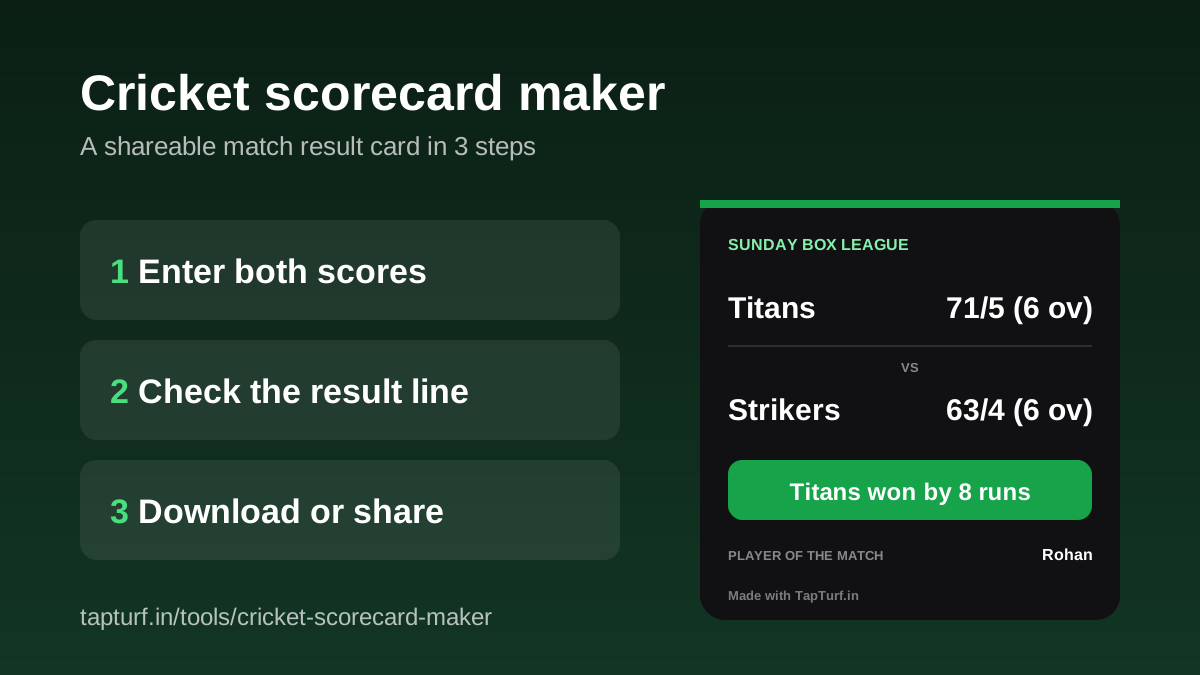
To make a cricket scorecard online, open the TapTurf cricket scorecard maker, type both team names with their runs, wickets and overs, pick who batted first, and tap Download PNG. The result line is worked out for you, and the card is a 1080 x 1080 image ready for WhatsApp. It is free, runs in your browser and needs no sign-up.
This is the short, shareable kind of scorecard: the one you post in the group after a box cricket game, not a ball-by-ball sheet. If you want every ball recorded, score the match live and let the scorer fill this card in at the end (more on that below).
Type the scores, check the result, share the card.
Open the scorecard makerHow do I make a cricket scorecard in 3 steps?
- Enter both scores. For each team, type the name, then Runs, Wickets and Overs. Overs take the usual cricket form: 6 for six full overs, 5.3 for five overs and three balls. The digit after the point must be 0 to 5, because an over has six balls, and the page flags anything else.
- Check the result line. Pick who batted first, and the Result box fills in by itself, for example Titans won by 8 runs. Type over it if you want different wording.
- Download or share. Tap Download PNG to save the card. On phones that support it, a Share button sends the image straight to WhatsApp or any other app. Both buttons switch on once both team names and both scores are in.
There is also an optional Tournament or series field (for example Sunday Box League) that prints at the top of the card. Tap Add player of the match, venue and more to add up to four extra lines: Player of the match, Top scorer, Best bowler and Venue. The preview updates as you type, so what you see is what downloads.
How does the scorecard maker work out the result?
It compares the two totals and uses who batted first. If the side batting first scored more, it won by the run difference. If the chasing side scored more, it won by wickets in hand, counted as 10 minus the wickets it lost. Equal totals show as Match tied.
| Batted first | Chasing side | Suggested result |
|---|---|---|
| Titans 71/5 (6 ov) | Strikers 63/4 (6 ov) | Titans won by 8 runs |
| Strikers 63/4 (6 ov) | Titans 64/3 (5.2 ov) | Titans won by 7 wickets |
| Titans 58/6 (6 ov) | Strikers 58/5 (6 ov) | Match tied |
This follows the way the Laws of Cricket state a result. MCC Law 16.7 says a side batting last that wins without losing all its wickets wins by the number of wickets still to fall, and a side fielding last that wins, wins by runs. Law 16.5.1 says a match is a tie when all innings are complete and the scores are equal.
What does the finished card look like?
The card is square and dark, with both teams and scores at the top, the result in a green band, and any extras you added listed underneath. It renders at 1080 by 1080 pixels so it stays readable after WhatsApp compresses it. The only branding is a small Made with TapTurf.in line at the bottom, and nothing you type is uploaded anywhere. The downloaded file is named after the match, for example titans-vs-strikers-scorecard.png.
Can I make the card from a live-scored match?
Yes. If you scored the game ball by ball in the free live cricket scorer, tap Make the result card when the match is done. The scorecard maker opens with the teams, scores and result already filled in. Check it, change anything you like, then download or share. If your phone reloads the page after sharing, the card fills in again for up to an hour.
For the full walkthrough of live scoring and live links for friends who are not at the ground, read our guide to the free live cricket scorer and live scoreboard.
Score every ball, then make the card in one tap.
Read the live scorer guideWhich other free tools help on match day?
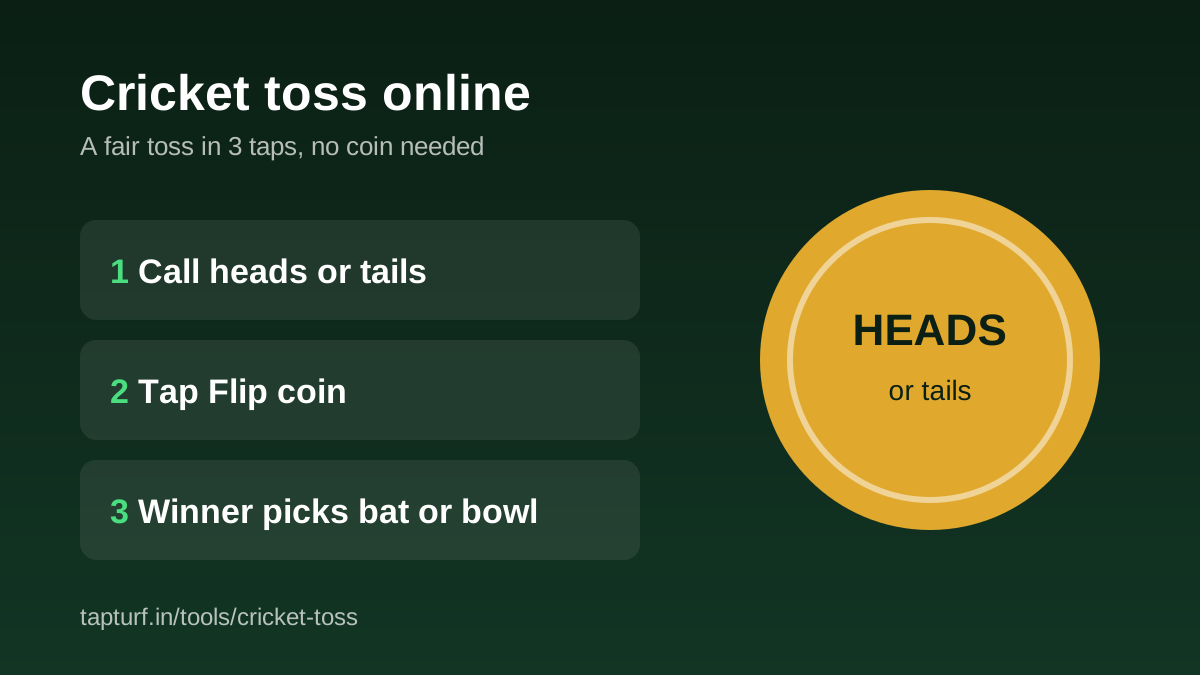
- Before the game: split the group into fair sides with the cricket team generator, then settle bat or bowl with the online toss. Our online toss guide covers what the Laws say about the toss.
- During a league: enter each match in the cricket tournament scorer and the points table and net run rate update by themselves.
- After the game: make the result card here and post it in the group.
Sort the teams before the toss.
Open the team generatorNo coin at the ground? Settle bat or bowl in three taps.
Read the online toss guideNeed a ground for the next match?
Find a box cricket turfIs the TapTurf cricket scorecard maker free?
How do I enter overs like five and a half?
Why does the result say won by 7 wickets in a six-a-side game?
What size is the downloaded scorecard?
Can the card be filled in automatically?
Sources
- MCC, Laws of Cricket, Law 16: The result (16.5.1 A Tie, 16.7 Statement of result)
- TapTurf, Cricket Scorecard Maker (tool page, checked 29 October 2026)
Tool behaviour checked on the live TapTurf scorecard maker page and its source on 29 October 2026.